An AI upgrade to your custom Properties
v2.43.0 - (12 February 2026)
Major Upgrade to Custom Properties
Properties are the backbone of a searchable Workspace, allowing you to filter through thousands of nodes to find exactly what you need in seconds.
Whether you're looking for all contracts with a "Termination Date" before February 1st, searching for websites saved during a specific conference, or recovering articles written by a particular author, Properties make it possible.
To make this even more effective, we’ve added:
-
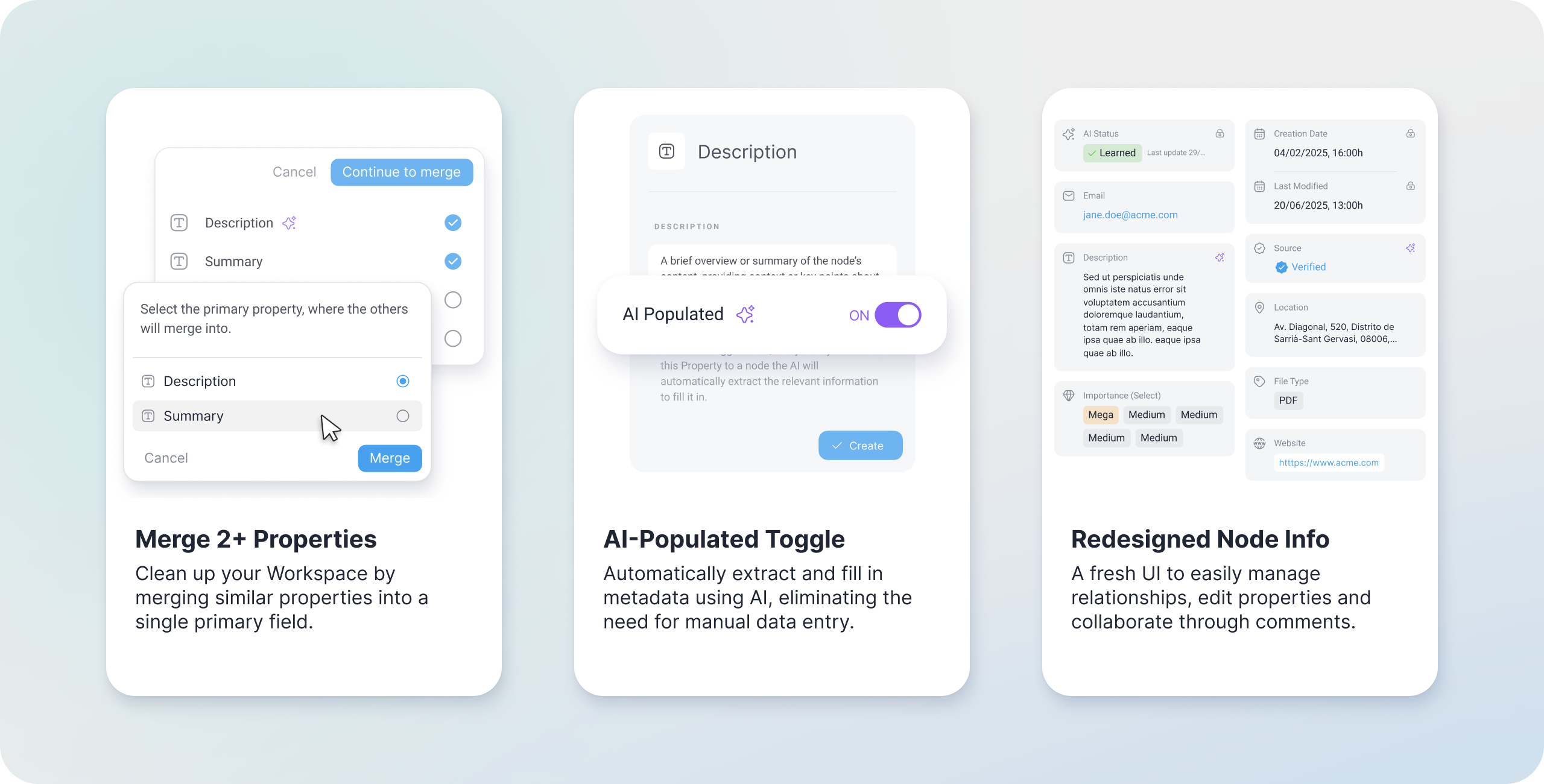
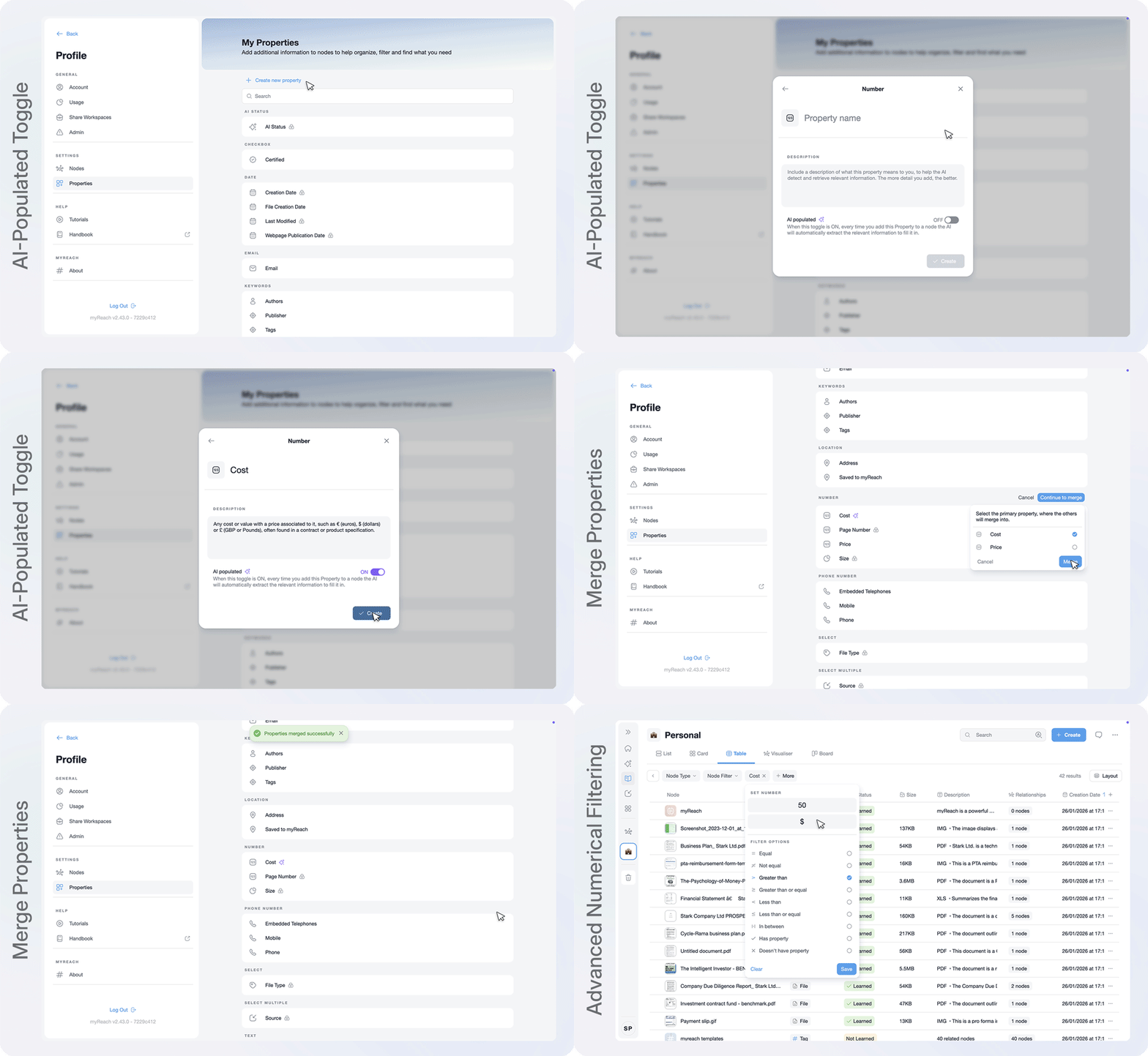
Merge Properties: Over time, property lists can get crowded with duplicates, or similar meanings (like “Price” and “Cost”). You can now merge several into one Primary Property. This ensures that when you filter your data, you get a complete, unified list of results.
-
AI-Populated Toggle: You can now automate your data entry. When this toggle is ON, the AI will automatically scan the node and extract the relevant information to fill in that Property for you. For example, if you add an "Email" Property, the AI will find the addresses within the document and populate the field — no manual typing required.
-
Advanced Numerical Filtering: We’ve added the ability to specify unit measurements in your filters for total precision. You can now filter, for example, for all MP3 files larger than 100MB or documents within a very specific numerical range.
-
Improved Design and UX: We’ve redesigned the creation flow in Settings > Properties, making it a dedicated, easy-to-navigate section in your sidebar.
Redesigned Node Info: Relationships, Properties & Commnets
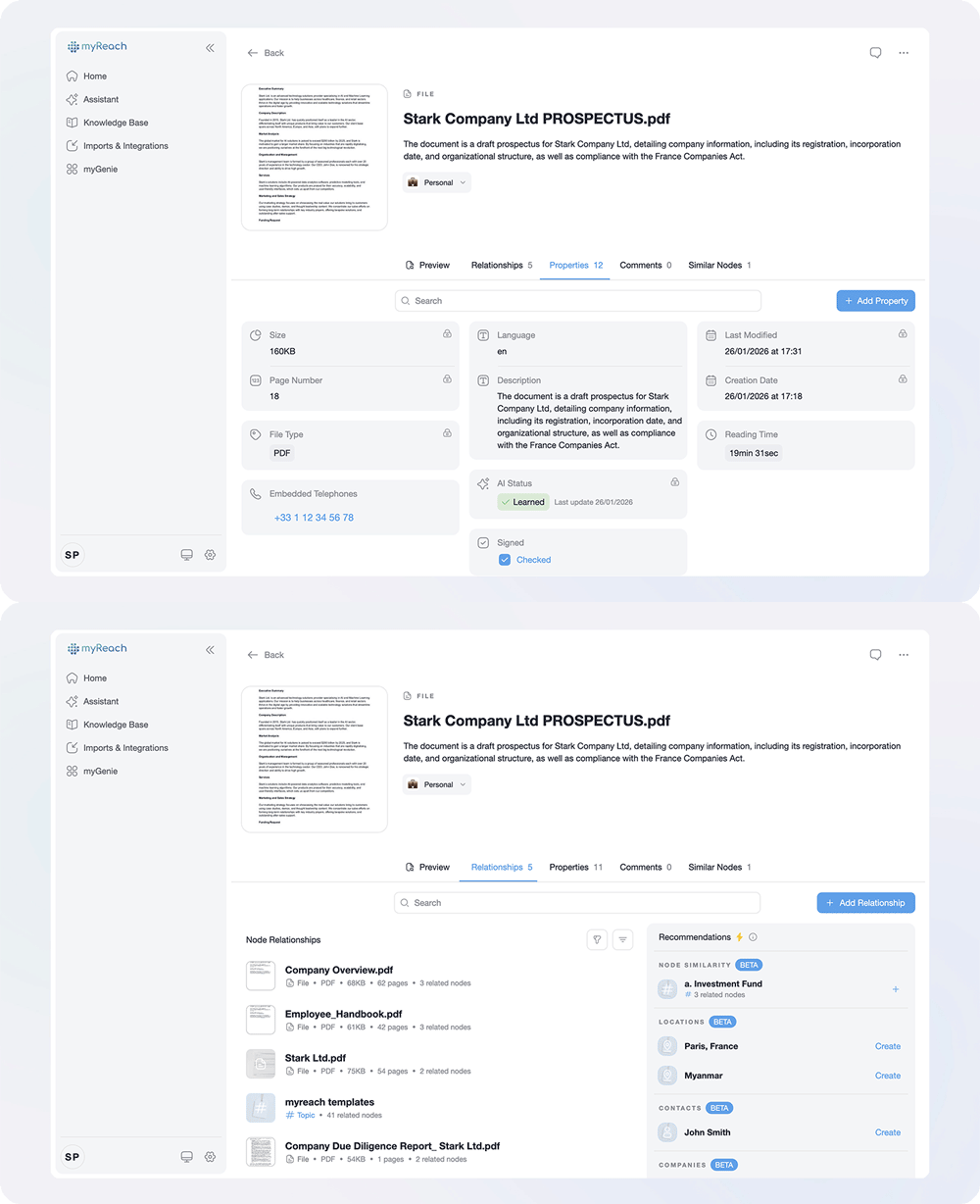
We’ve given the Node Info panel a significant UI overhaul to improve how you connect and discuss your data.
-
Relationships: A cleaner design makes it easier to link nodes and leverage AI-powered recommendations, helping you discover connections you might have missed.
-
Properties & Comments: These sections are now more visually distinct and user-friendly, allowing for faster metadata editing and more seamless collaboration.
myGenie: Error Detection and View Customisation
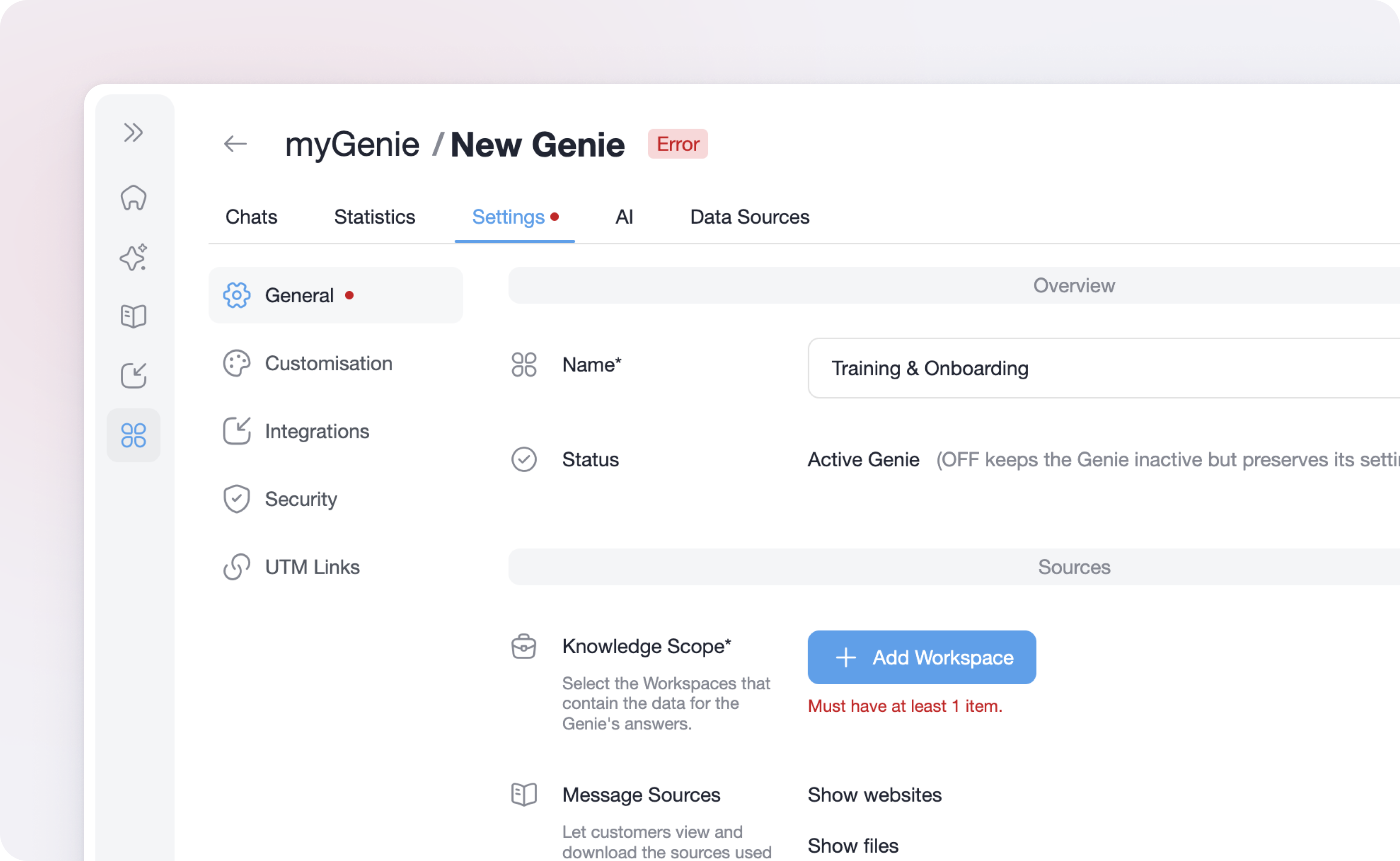
Managing your AI Assistants is now much simpler with two key updates to the Genie dashboard:
-
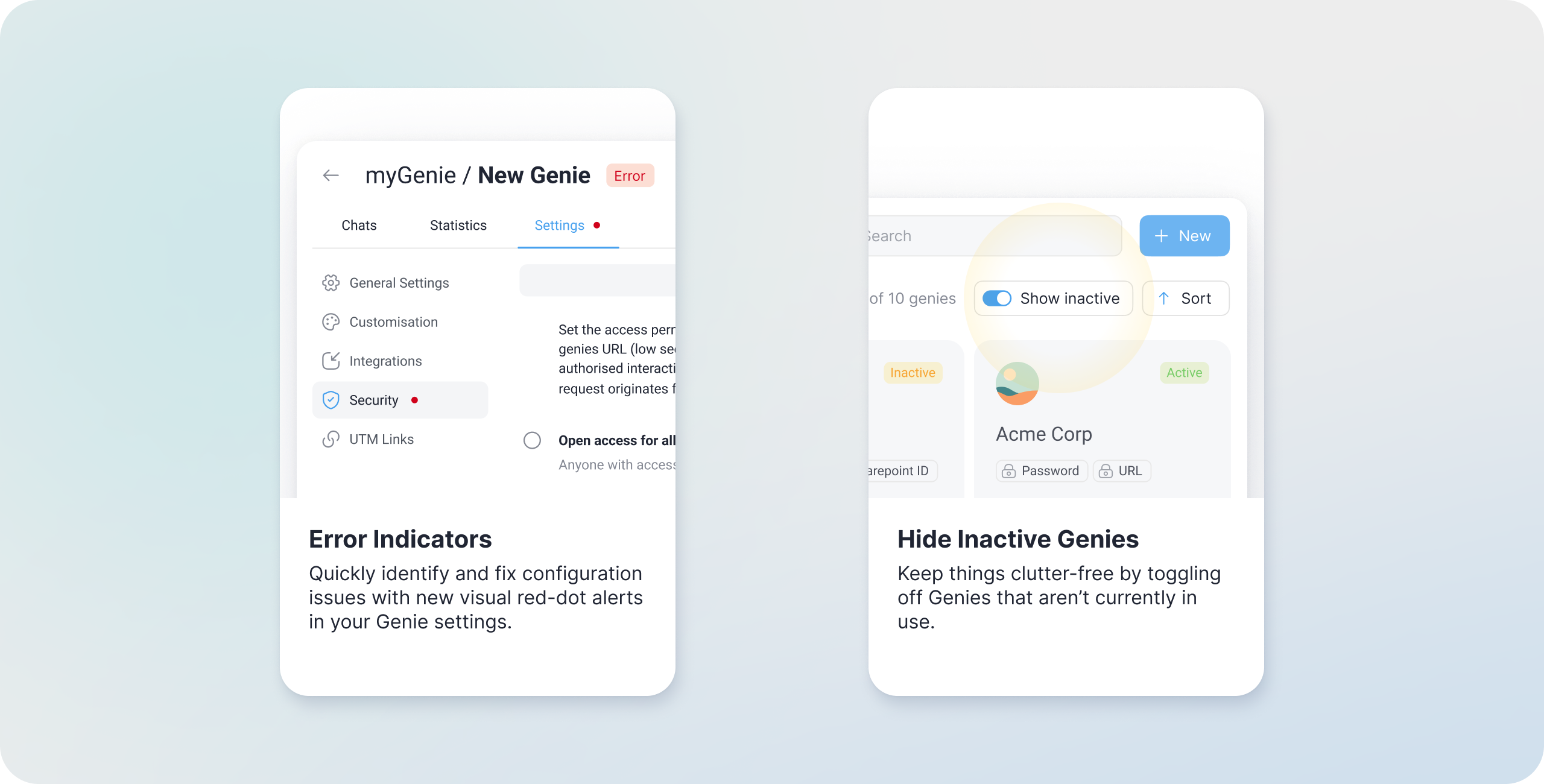
Error Indicators: With so many customisation options, it’s easy to miss a required field. A new visible red dot will now appear next to the specific section causing an error, so you can fix issues and save your changes instantly.
-
Show/Hide Inactive Genies: To keep things clutter-free, you can now toggle a view to hide Genies you’ve temporarily deactivated. This allows you to focus only on your active, high-priority assistants. You can find the “Show Inactive” toggle on the top right of the initial Genies page.
Improvements and bug fixes
Alongside these features, we’ve fine-tuned system performance and resolved several UI inconsistencies to ensure a smoother experience across the platform.
If you have any issues or feature requests, let us know. Your feedback is what drives myReach forward!
Coming soon: AI Performance Reports
Arriving in Q1, Reports will help you understand exactly how your Genies are performing.
Whether it’s an internal team assistant or an external Genie for customer service, you’ll be able to receive customisable summary reports directly in your email inbox. This new feature will complement your existing Statistics page, allowing you to choose the frequency of updates so you can stay informed on user trends and AI performance without even opening the dashboard.
Stay tuned – this is one of our most requested features, and it’s coming your way shortly!