AI Assistant: Querying Your Knowledge
The Assistant is the interactive interface of your Knowledge Base. It allows you to have a natural, two-way conversation with your saved information, transforming thousands of files into a single, reachable expert.
Unlike traditional search engines that look for exact keywords, the Assistant understands the meaning and intent behind your questions and uses Large Langauge Models to provide instant answers.
Click here to find out more about myReach's Assistant.
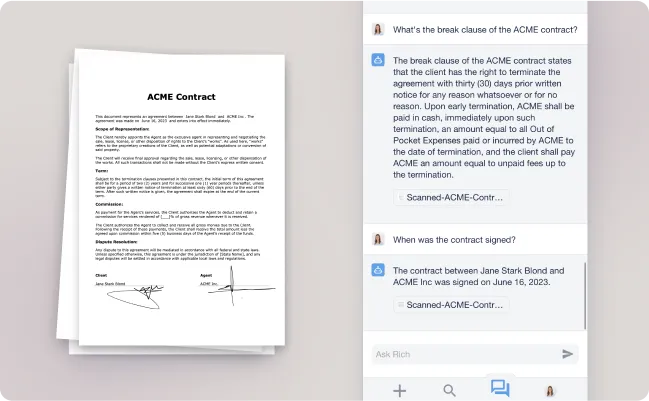
How it Works with Your Data
The Assistant is "grounded" in your private information. When you ask a question, it follows a precise path to ensure accuracy:
-
Retrieval: It identifies the most relevant "Learned" Nodes across your selected Workspaces.
-
Synthesis: It reads the content of those Nodes to find the specific answer to your query.
-
Citation: It provides a response accompanied by In-Text References and Source Cards so you can always verify the data.
Key Knowledge Base Interactions
While you can chat about anything, the Assistant is optimised for three core actions:
-
Fact-Finding: "What is the cancellation policy mentioned in the Smith Contract?"
-
Summarisation: "Give me a bulleted summary of the Q3 Marketing Report".
-
Data Transformation: "Based on the meetings notes with Odeon corp., draft a follow-up email to the client".
Search Strategies
Within the Assistant, you can choose how deep the AI should look:
-
Deep Search: Scans multiple Workspaces for a comprehensive overview.
-
Full-Document Search: Focuses exclusively on one specific file or a specific selection for maximum precision.
-
Web Search: Supplements your private data with real-time information from the live internet.
Pro Tip
The Assistant can only "see" information that has been successfully Learned. If you don't see a file appearing in the search results, check its AI Status in the Node's Properties tab.