Similar Nodes
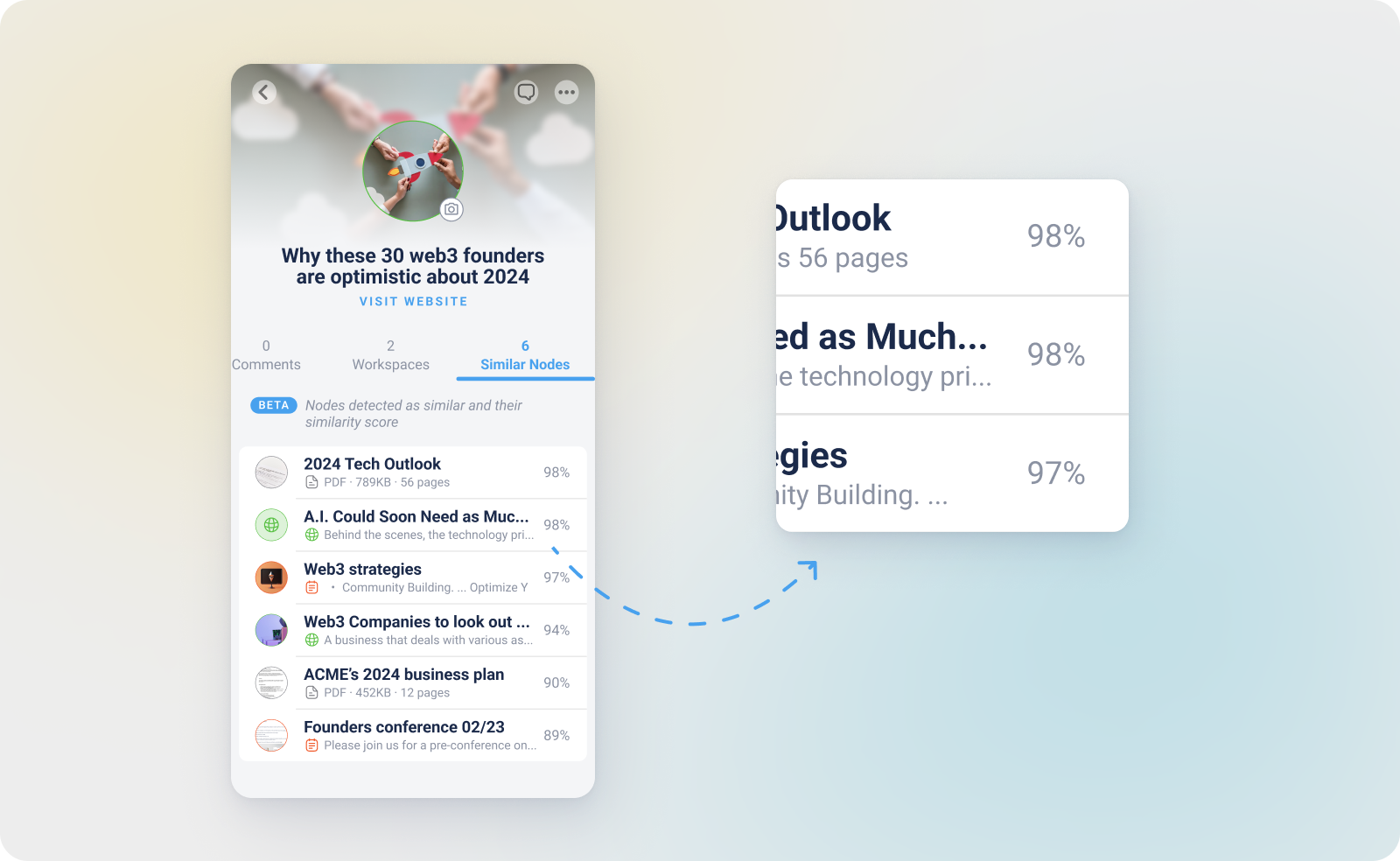
Similar Nodes is an AI-powered feature that automatically identifies items in your Knowledge Base that share a high level of contextual or semantic overlap. Unlike Relationships which you create manually, Similar Nodes are discovered by the AI through "Vector Embeddings".
This feature ensures that you never "lose" information simply because you forgot to tag it or because it is stored in a different Workspace.
How it Works
Every time a Node is Learned, the AI creates a mathematical map of its meaning. It then compares this map against every other item in your Knowledge Base.
-
Semantic Analysis: The AI looks at the concepts and ideas within the text, not just matching keywords.
-
The 88% Threshold: To keep your suggestions relevant and high-quality, myReach only displays Similar Nodes that have a 88% or higher similarity score.
-
Real-Time Discovery: As your Knowledge Base grows, the list of Similar Nodes for a specific item may update as new, more relevant information is added.
Where to find Similar Nodes
You can access this feature within the Node Info pannel of any file, website or note:
-
Open a Node: Click on any item in your Knowledge Base.
-
Select the Tab: Click on the Similar Nodes tab.
-
Explore Connections: You will see a list of related items ranked by their percentage of similarity. Clicking on any item in this list will take you directly to that Node.
Why use Similar Nodes?
-
Eliminate Duplicates: Easily spot if you have saved the same article or document multiple times under different names.
-
Research Discovery: Find related research papers, articles or meeting notes that you might have forgotten existed.
-
Automated Organisation: Use the similarity list as a guide for manual tagging. If several items are 95% similar, they likely belong to the same Tag.
-
Bridge Workspaces: Similar Nodes look across all your Workspaces. This helps you find connections between "Personal" and "Work" data that you might have otherwise kept separate.