Introduction
The knowledge Base is the brain of your AI Assistant and Genies.
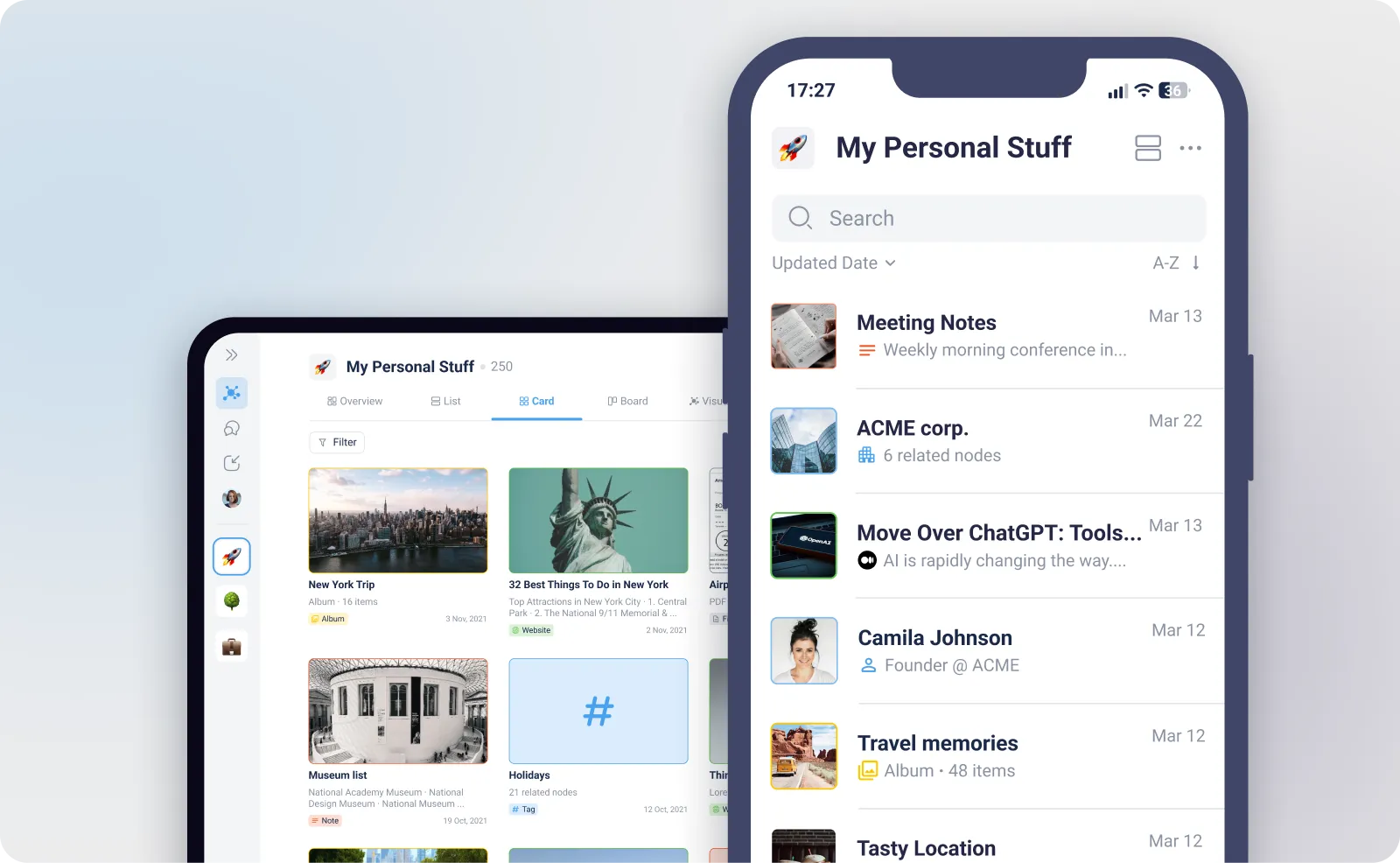
It's a centralised, intelligent hub that stores all the information you feed into myReach – from technical documents and research articles to quick notes and website links. Whether added through an integration or a manual upload, you can save any type of digital data.
Think of it as your digital brain, organised and always ready to retrieve your knowledge. Your Knowledge Base transforms static data into an active, reachable, and interconnected digital brain.
It helps you to centralise, search and organise your information and your company’s information.
How it Works
The Knowledge Base serves as the single source of truth for myReach's AI Assistant and Genies. When you ask a question, the AI doesn't guess; it searches your Knowledge Base to find the most accurate and relevant information. It retrieves the answer directly from your stored data. This means the quality of the AI's answers depends directly on the quality and completeness of the information in your Knowledge Base.
Here's a simple breakdown:
-
You Add Information: Populate your Knowledge Base through integrations, manual uploads or the Browser Extension.
-
The AI Learns: Once added, the AI processes the content to understand its context, relationships and intent. You can monitor this via the "AI Status" in the Properties tab. Once a Node is marked as "Learned," it's ready to be queried.
-
You Ask, myReach Answers: When you ask a question, the AI searches through your entire Knowledge Base (or the Workspaces you select) to find the most semantically similar information to provide you with a precise, contextual answer.
-
Grounded Intelligence: Unlike general AI models that may "hallucinate", myReach is grounded in your private data. It only answers based on what it finds in your Workspaces, ensuring that every response is factually accurate to your organisation.
Privacy & Security
Your Knowledge Base is a secure, private environment.
-
Data Ownership: You have total control over what the AI learns. Your data is encrypted and never used to train global AI models.
-
Granular Access: Through Workspaces, you decide which information remains private and which is shared with your team.
Key Benefits of Your Knowledge Base
It enables you to connect ideas, manage data and find information quickly, empowering you to make informed decisions and drive results.
By centralising your information in a grounded Knowledge Base, you unlock a new level of productivity:
-
Instant, Traceable Answers: No more digging through folders or trying to remember exact file names. Just ask a question and get a precise answer accompanied by Source Cards and In-text References. You always have the "receipt" for where the information came from.
-
Boost Productivity: Spend less time searching and more time doing. The myReach AI can summarise long articles, pull key details from documents, and connect related ideas for you.
-
Make Smarter Decisions: With all your information at your fingertips, you can quickly gather the data you need to make informed decisions and drive better results.
-
Work and Live Smarter: myReach is your database for everything. Store work contracts, client profiles and project research alongside personal notes and interesting web articles. Avoid the clutter of countless open tabs and keep everything organised and within reach.
-
Identify Knowledge Gaps: By using Genie Statistics, you can see what your users or team members are asking and identify what information is missing from your Knowledge Base.
-
Eliminate Information Silos: Connect disparate data points—link a client's contract to a meeting note and a related LinkedIn profile to create a 360-degree view of your work.
As long as it’s saved in myReach you can ask anything about your information and it will answer. 🤖 It’s like a Google or ChatGPT, but powered for your company's knowledge.
What Makes myReach Different?
Traditional systems use a rigid, folder-based structure that "hides" data. myReach uses a Graph Database that mimics how the human brain works, connecting your information based on context, relevance and relationships. It's not just about searching; it's about understanding your information.
The use of the LLM for search is only one of the many functionalities of myReach.
-
Interconnected Knowledge: See how a single PDF relates to multiple projects, people and topics simultaneously.
-
3D Visualisation: Explore your connected information visually in a 3D environment, making it easier to spot patterns and hubs of information in a unique visual format.
-
Beyond Keyword Search: Using Semantic Search, the AI understands the concept of your query. If you search for "Company Expenses", it will find "Travel Invoices" even if the keywords don't match.
This combination of a powerful AI Assistant and a groundbreaking approach to data organisation is what makes myReach the ultimate tool for managing your knowledge.
Use Case Examples
So, how does building your Knowledge Base help you? By adding information to myReach, you're creating a powerful assistant that can help with a wide range of tasks.
-
Learning & Research: Quickly find answers to questions from your saved articles, notes and files.
-
Work & Projects: Get instant access to key details from past meeting notes, project documents and client contracts.
-
Onboarding & Training: Create a centralised hub of information to help new team members get up to speed quickly, or a hands-off onboarding for new employees.
-
Problem-Solving: Find relevant information from previous support tickets or troubleshooting guides to solve new issues faster.
-
Brainstorming: Generate new ideas by drawing connections between articles, notes and documents you've saved.
-
Planning & Organisation: Use your stored information to plan projects, manage tasks and track progress effectively.
These are just a few examples, the use cases of myReach are endless and entirely customisable to your company's specific use case.
What to Find Here
This section of the myReach Handbook will guide you through everything you need to know about the Knowledge Base. You'll learn how to:
-
Add Content: Discover the many ways to populate your Knowledge Base.
-
Organise Information: Learn how to structure your content so it's easy for both you and the AI to navigate.
-
Leverage AI: Get tips on how to ask effective questions to get the best results from the myReach AI.
In other words, it will guide you through:
-
Nodes: The building blocks of your knowledge.
-
AI Features: How to leverage OCR, Audio Transcription, and the Assistant.
-
Workspaces: Organizing and securing your data.
-
Search: Mastering Semantic and Deep search strategies.