Node Cleanup
As your knowledge base grows, it is natural for duplicate files, redundant tags and low-value nodes to accumulate over time. Node Cleanup is a powerful tool designed to help team leaders scan their workspace and surface these inefficiencies, keeping the knowledge base lean, accurate and easy to navigate.
How it Works
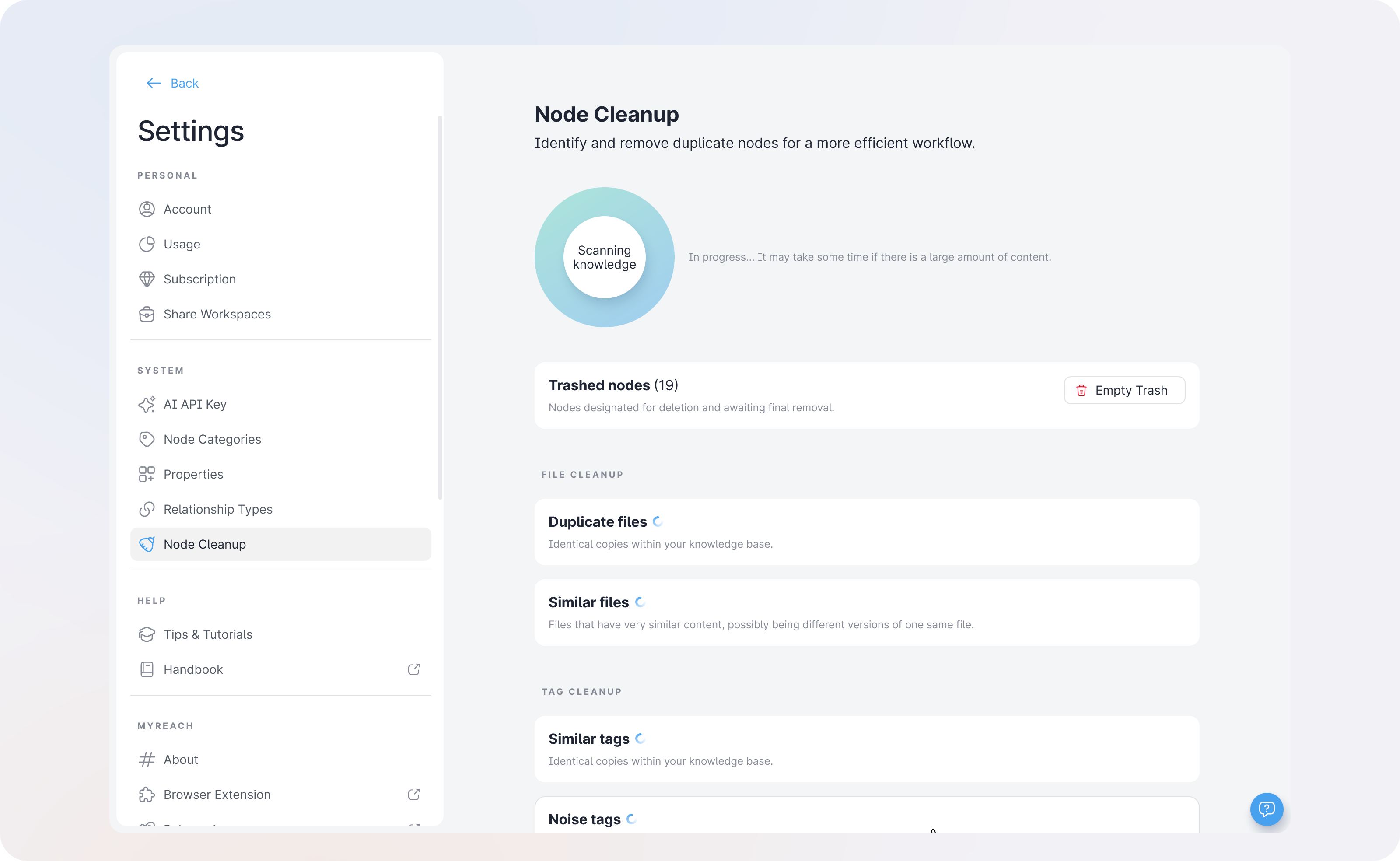
Node Cleanup is initiated by a team leader through a Scan. The scan analyses your entire workspace and automatically detects duplicates, similarities and noise across your files and tags, grouping them into cleanup suggestions for you to review and act on.
A few things to keep in mind about scans:
- Each scan is shared across all users in a team, so everyone benefits from the same results.
- Each new scan replaces the previous one, ensuring you are always working with the most up-to-date suggestions.
- Scans can take some time to complete depending on the size of your workspace, so please allow a few minutes before reviewing the results.
Types of Cleanup
Once a scan is complete, the results are organised into the following categories:
| Type | What it detects |
|---|---|
| Duplicate Files | Files that are exactly the same — identical content. |
| Similar Files | Files that have very similar content, such as different versions of the same document. |
| Similar Tags | Tags that mean the same thing, such as "ML" and "Machine Learning". |
| Noise Tags | Tags that are low-value, unclear or auto-generated and add no meaningful context. |
| Leaf Tags | Tags that have little to no connections to any other node in the knowledge base. |
Actions You Can Take
For each cleanup suggestion, you have three possible actions:
-
Merge: Combines two or more nodes into one, preserving all the important metadata, relationships and content from the merged nodes. Available for duplicate files, similar files and similar tags.
-
Cleanup (Send to Trash): Moves the selected nodes to the trash, removing them from your active knowledge base. Available for noise tags and leaf tags.
-
Discard: Dismisses the suggestion without making any changes, if you decide the flagged nodes should remain as they are.
Why Node Cleanup is Useful
Over time, even the most well-organised knowledge base can develop clutter. Node Cleanup helps you:
- Eliminate duplicates to avoid confusion and ensure the AI is not drawing from conflicting or redundant sources.
- Consolidate similar tags to create a cleaner, more consistent categorisation system across your workspace.
- Remove noise by clearing out low-value or meaningless tags that add no context to your knowledge graph.
- Improve AI accuracy by ensuring the Assistant is working with clean, well-structured data, leading to more precise and reliable responses.
- Save time by having the AI surface issues automatically, rather than manually reviewing thousands of nodes yourself.
Who Can Run a Cleanup?
Node Cleanup is available to all users within a workspace. However, since scans are shared across the entire team and each new scan replaces the previous one, it is recommended that cleanups are coordinated within the team to avoid overwriting a scan that is currently being reviewed by another member.