Relationship Types
Relationship Types are labels that describe how two Nodes are connected within myReach. Rather than simply knowing that two nodes are related, Relationship Types give that connection meaning and context — defining the nature of the relationship between them.
For example, if you have a Contact node for a person and a Company node, you can assign an "Employee of" relationship type to clearly describe how those two nodes are connected. Similarly, if you have a Document node and a Project node, you can assign a "Deliverable of" relationship type to indicate that the document is a direct output of that project. This makes your knowledge base not just a collection of linked items, but a meaningful, context-rich network of information.
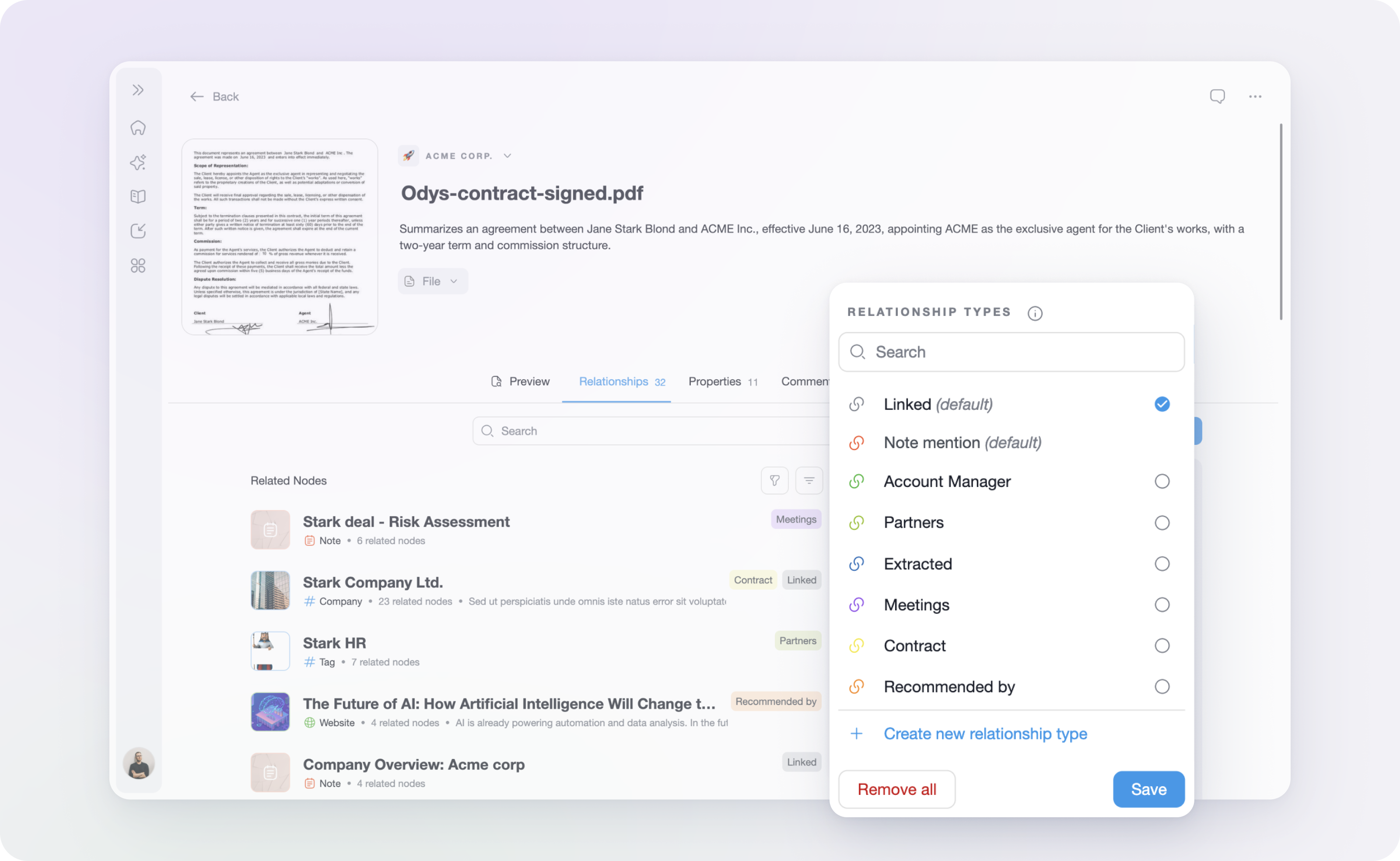
Default Relationship Types
There are 2 built-in default Relationship Types in myReach:
-
Linked: The default relationship label applied when two nodes are related — either automatically by myReach or manually by a user — without a specific relationship name being assigned. It simply indicates that a connection exists between the two nodes.
-
Note Mention: Exclusive to Note nodes. This relationship type is automatically applied when a node is mentioned within a Note, creating a traceable link between the Note and the mentioned node.
These default types cannot be deleted.
Creating a Custom Relationship Type
You can create as many custom Relationship Types as you need to reflect the unique connections within your knowledge base. When creating a new Relationship Type, you will be asked to provide the following:
-
Relationship Name: The label that will be displayed on the connection between two nodes (e.g., "Employee of", "Deliverable of", "Reported in").
-
Description: A description of what this relationship means to you. This is particularly important for the AI — the more detail you provide, the better the Assistant will be at detecting and retrieving relevant information based on that relationship.
-
Label Colour: Choose a colour for the relationship label to make it visually distinct and easy to identify at a glance within your knowledge graph.
-
Relationship Strength: Define the strength of the connection between the two nodes. This can be set to:
- 🟢 Low
- 🟡 Medium
- 🔴 High
Why Relationship Types Matter
Defining clear and descriptive Relationship Types helps you:
- Organise your knowledge base in a way that reflects real-world connections and hierarchies.
- Improve AI accuracy by giving the Assistant more context about how your data is structured and interrelated.
- Navigate your graph more intuitively by visually distinguishing between different types of connections at a glance.